Leadership, and working as part of a system and team. As the last line of defense, I called the shots.
Responsible, communicative, caring. You learn to set the standard when three people depend on what you do.
Driven, focused, passionate. I found the work early and never really put it down.
Loyal, hopeful, all-in. Some allegiances aren't chosen — they're handed to you at birth and kept for life.
Curious, adaptable, open. New places reset how I see problems and the people I build for.
Rigorous, resourceful, grounded. Where the fundamentals got hammered into instinct. Guns up.
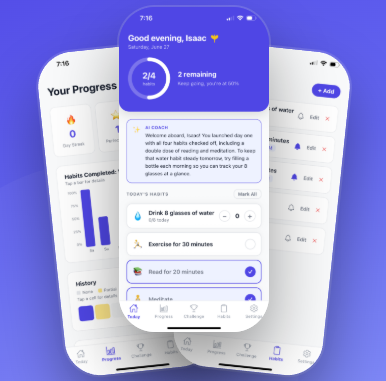
Get in rhythm with your habits. Find your Groov.
Stops you from falling behind and propels you toward your goals.

Feel your best self. Make lifelong relationships.
In an age of judgement and anonymity, Earl helps you break through the barrier and meet real, genuine people.

- Spoke with 40+ location managers by phone to streamline communication; led 3 projects that cut ~$250,000/year in invalid operating and expired licensing costs.
- Repaired 100+ Clover receipt devices across all locations, configured server tablets and bar printers, and shipped new devices to every location.


ARRIVED EAST.
If you've got something worth building — a product to ship, a role to fill, or a demo you want to see live — this is where the course ends and the work begins. Set your heading.
Thanks{{ sentName }} — I'll chart a reply and get back to you shortly.
 GITHUB ↗